
Cab tablets and driver phones for ELD, navigation and dispatch, plus what FMCSA’s phone rules mean for how you mount and manage them.
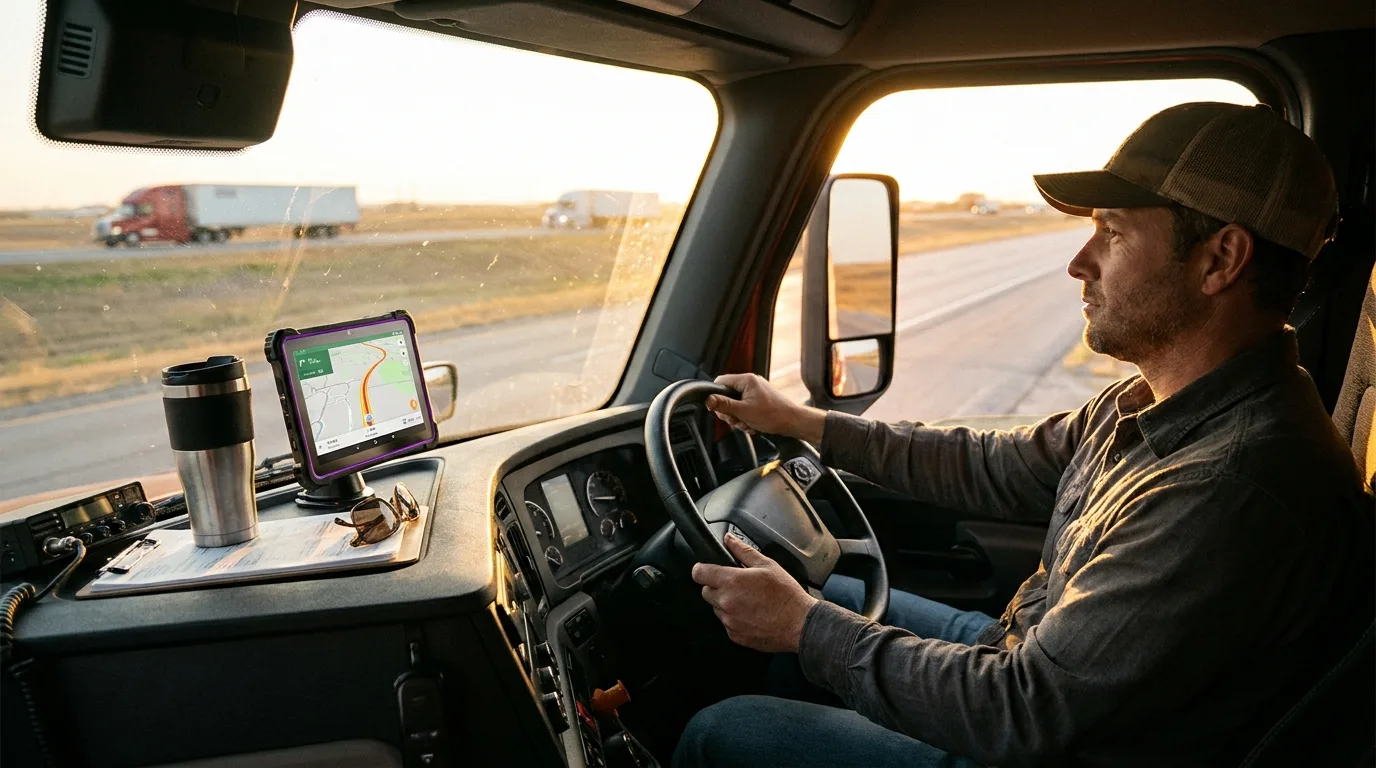
What are the best tablets for truck drivers? For most fleets, the answer is two devices per truck: a mounted cellular tablet for ELD logs, navigation and dispatch, and a phone for hands-free calls and messages. The right models depend on the job, your ELD provider’s supported-device list and the MDM platform you already run. If you’re equipping a whole fleet with phones for logistics companies, this is how we’d split the work between the two.
Should truck drivers use a tablet or a phone?
Both, because they do different jobs. The tablet stays mounted and handles anything that needs a screen. The phone handles voice.
A mounted tablet gives drivers a screen they can read at a glance: the route, the next turn, hours of service, the next stop’s paperwork. Dispatch can push loads and messages to it, and it stays put in the same spot every shift.
The phone is the driver’s line to dispatch, customers and home, and it goes everywhere the driver goes. Ask one device to do both jobs and it usually does one of them badly. A phone is too small to read a route at highway speed, and a tablet is awkward for the calls drivers take at fuel stops and docks.
What makes a tablet right for a truck cab?
Cellular, a screen you can read at a glance, a solid mount, charging from the truck, and a lockdown your MDM controls. Then check your ELD provider’s supported-device list before you buy anything.

Cellular isn’t optional
A moving truck has no Wi-Fi. A Wi-Fi-only tablet tethered to a driver’s phone works until the phone dies, gets left at a truck stop or drops the hotspot mid-route. Buy cellular versions and give each tablet its own line.
A screen readable at a glance
Navigation and ELD apps need a screen big enough to read without leaning in, but not so big it blocks the view. Most fleets land on a 10- to 11-inch tablet in a dash mount.
Heat, sun and vibration
A cab in July is a hostile place for electronics. Check each manufacturer’s operating-temperature spec, keep tablets out of direct sun when parked, and put every unit in a rugged case. Vibration and drops at the dock wear out bare tablets fast.
Your ELD provider’s device list
Your ELD provider publishes the tablets and phones its app supports. Check that list before you pick hardware, not after. It’s the fastest way to avoid a fleet of devices your compliance app won’t run on.
Lockdown through MDM
Cab tablets should run only the apps the job needs: ELD, navigation, dispatch and documents. Kiosk or single-app mode keeps drivers out of video and games, and makes support simpler.
What are the best tablets for truck drivers?
For most fleets, a cellular Samsung Galaxy Tab S9 FE or iPad 10th Generation in a rugged case. For larger fleets on tighter budgets, a cellular Galaxy Tab A9+, Lenovo Tab M10 5G or TCL Tab 10 5G.
Samsung Galaxy Tab S9 FE
The Galaxy Tab S9 FE in its cellular version is our default pick for Android fleets. It’s managed through Samsung Knox, which most Android fleet MDMs support, and it’s fast enough to run navigation and ELD apps side by side. Samsung rates it IP68. The trade-off is price: it costs more than the budget tablets, and you’ll still want a rugged case on it.
Apple iPad 10th Generation
If your fleet runs on Apple devices, the iPad 10th Generation in its cellular version is the straightforward choice. It enrolls through Apple Business and runs most ELD and navigation apps without fuss. The trade-off is that it isn’t built for a cab on its own, so the case and mount matter even more.
Budget cab tablets
For large fleets where cost per truck drives the decision, the Galaxy Tab A9+ in its cellular version, the Lenovo Tab M10 5G and the TCL Tab 10 5G cover navigation and ELD logging at a lower price. The trade-off is slower processors and shorter update windows, so check each manufacturer’s update policy against how long you plan to keep them in service.
For cabs that see real abuse, the Galaxy Tab Active5 is our rugged pick: an 8-inch tablet with a replaceable battery and a No Battery Mode for dash mounts, in a 5G version. Whatever you choose, mount it properly. See our guide to the best rugged tablets for the full comparison.
What are the best phones for truck drivers?
A rugged Samsung Galaxy XCover6 Pro for drivers who are hard on phones, a battery-first Moto G Power (2025) or Galaxy A36 for most drivers, and a Galaxy A16 or Moto G Play 2026 when you’re equipping a large fleet on a budget.
Rugged: Samsung Galaxy XCover6 Pro
The Galaxy XCover6 Pro is built for drivers who load, unload and drop their phones. Samsung rates it IP68 and MIL-STD-810H, and the battery is user-replaceable. The trade-off is a camera and screen a step below mainstream phones, which most drivers never notice.
Battery-first: Moto G Power (2025) and Galaxy A36
Long-haul drivers need a phone that lasts a full day of calls and navigation backup. The Moto G Power (2025) is built around battery life, and the Galaxy A36 pairs a solid battery with Knox management. Put either in a protective case.
Budget fleet phones: Galaxy A16 and Moto G Play 2026
When you’re buying for hundreds of drivers, the Galaxy A16 and Moto G Play 2026 handle calls, messaging and dispatch apps at the lowest cost per driver. At fleet scale, buying 20–40% below MSRP adds up fast. The trade-off is slower performance and shorter update windows than mid-range phones. You can browse more Samsung devices and Motorola phones in the catalog.
| Role | Recommended models | Why it fits | Trade-off |
|---|---|---|---|
| Cab tablet | Samsung Galaxy Tab S9 FE (cellular); Apple iPad 10th Generation (cellular) | Fast enough for navigation and ELD side by side; enrolls in Knox or Apple Business | Higher cost; still needs a rugged case |
| Budget cab tablet | Galaxy Tab A9+ (cellular); Lenovo Tab M10 5G; TCL Tab 10 5G | Lowest cost per truck for navigation and logging | Slower processors, shorter update windows |
| Rugged driver phone | Samsung Galaxy XCover6 Pro | Built for drops and docks; user-replaceable battery | Camera and screen a step below mainstream phones |
| Battery-first driver phone | Moto G Power (2025); Samsung Galaxy A36 | Lasts a full day of calls and navigation backup | Needs a protective case |
| Budget fleet phone | Samsung Galaxy A16; Moto G Play 2026 | Lowest cost per driver for calls and dispatch apps | Slower performance, shorter update windows |
What do FMCSA rules mean for your drivers’ phones?
Commercial drivers can’t hold a phone to make a call or dial by pressing more than one button while driving. Any phone used behind the wheel has to be hands-free and mounted within reach, and carriers can’t require or allow hand-held use.
That’s why the mount and the hands-free setup matter as much as the device. A phone in a cupholder or a tablet on the passenger seat is a compliance problem waiting to happen. The rules also apply to the fleet, not just the driver, so a written policy protects everyone. FMCSA’s distracted driving rules are the place to confirm the details.
A fleet cell phone policy usually covers:
- Where phones and tablets are mounted, within reach while the driver is belted in
- Hands-free setup: a headset or speaker, plus voice or one-touch calling
- No texting, reading or typing while driving
- When devices may be handled: parked, at the dock or during breaks
- How dispatch reaches drivers without prompting them to pick up a device
This is a summary, not legal advice. Confirm your requirements with FMCSA and your own counsel.
Which mounts and accessories do cab devices need?
A mount the driver can reach while belted in, charging from the truck, a rugged case and a hands-free headset or speaker setup.
Mount the tablet where the driver can see it without looking away from the road for long, and where it doesn’t block the windshield or mirrors. Wire it to truck power so it never runs flat mid-route. Rugged cases take the hit when the tablet comes off the mount at the dock. For phones, a headset or a speaker setup paired with voice dialing keeps calls inside the rules. We don’t sell mounts or accessories, so budget for them alongside the devices.

How should fleets lock down driver devices?
Enroll every device in your MDM before it ships, lock cab tablets to the apps the job needs, and keep remote lock and wipe ready for lost devices.
Kiosk or single-app mode keeps cab tablets on ELD, navigation and dispatch. App allow-lists keep driver phones focused without locking drivers out of what they need. Remote lock and wipe protects company data when a device goes missing at a truck stop.
Pick devices by MDM platform, not by brand. Samsung Knox covers Galaxy phones and tablets, Android Enterprise covers Motorola, Lenovo and TCL, and Apple Business (formerly Apple Business Manager) covers iPhone and iPad. A mixed fleet means maintaining two sets of policies, so standardize where you can. Starting with MDM-ready devices means setup happens once, not truck by truck.
Is refurbished OK for truck fleets?
Yes, when devices are graded, inspected, covered by a DOA guarantee and still inside the manufacturer’s update window.
A recent-generation device with years of security updates ahead of it is a smart fleet buy. One near the end of its update window isn’t, however cheap it is. Our grades are New, Certified Like-New and Certified Pre-Owned (A+, A, A-). Every device goes through a 35-point PhoneCheck inspection, IMEIs are checked against the GSMA device registry, and every grade carries a 30-day DOA guarantee.
Every device is wiped with Phonecheck, whose erasure is built to NIST 800-88 and has passed ADISA’s Product Claims Test, and each wipe produces a signed certificate of erasure you can request.
Equipping a fleet?
Tell us your truck count, ELD provider and MDM platform. Minimum order is 10 units, you’ll have a quote in about 4 hours, and orders ship in 24–48 hours. Need cab tablets only? Browse our wholesale tablets.
Request a quoteFrequently asked questions
Do your tablets work with ELD apps?
It depends on your ELD provider’s supported-device list. Check that list first, then tell us your provider and we’ll match models to it.
Do your tablets come in cellular versions?
Yes. iPad and Galaxy Tab models are available in cellular (LTE) versions, and the Lenovo Tab M10 5G and TCL Tab 10 5G are cellular models.
Will the phones work on our carrier?
Yes. Our devices are factory unlocked for AT&T, T-Mobile and Verizon.
How fast can you equip a fleet?
You’ll get a quote in about 4 hours, and orders ship in 24–48 hours. The minimum order is 10 units.
What if a device arrives faulty?
Every order is covered by a 30-day DOA guarantee on all grades. If a device is dead on arrival, reach out within that window and we’ll take care of it.