
Workforce Mobility
Keep Every Team Connected
How to choose, buy and roll out company phones in bulk, from the warehouse floor to the field crew.
Wholesale phones for employee communication solve a simple problem: your people need to reach each other fast, and personal phones don’t scale. One standard device, managed centrally, bought at volume.
Here’s who needs company phones most, what to check before you buy, and how to roll them out without the usual headaches.
Why buy wholesale phones for employee communication?
Buying in bulk lowers the cost per phone, puts everyone on the same device, and lets IT manage the whole fleet from one place.
That last part matters most. When every employee carries the same two or three models, setup is repeatable, support is simpler and security policies actually stick.
Cost matters too. Certified like-new and new devices bought wholesale typically run 20–40% below MSRP. That difference adds up fast across a 50- or 500-person rollout.
And it changes how teams work. A dispatcher can reach a driver in seconds. A charge nurse can message the floor without hunting for a desk phone. A site lead can send a photo of a problem instead of describing it.
Which teams need company phones most?

Any team that moves around all day gets the most from wholesale phones for employee communication. That means logistics, healthcare, field service, retail and hospitality, and public sector teams.
| Team | What they need | Good fit |
|---|---|---|
| Logistics and delivery | Route updates, scanning apps, proof of delivery | Samsung Galaxy XCover7 Pro; Galaxy A36 |
| Healthcare | Secure messaging, clinical apps, shift-long battery | iPhone 16; Galaxy S25; Pixel 9 |
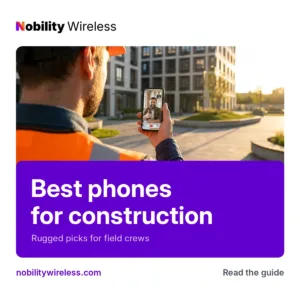
| Field service and construction | Durability, photos, calls on the move | Samsung Galaxy XCover7 Pro |
| Retail and hospitality | Fast team messaging across shifts and locations | Galaxy A16; Moto G Power (2025) |
| Government and public sector | MDM control, security updates, unlocked carrier choice | iPhone 16; Galaxy S25 |
Warehouse and delivery teams lean hardest on rugged devices and fast scanning. Our page on phones for warehouse and delivery teams covers what fits.
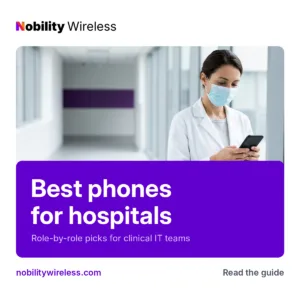
Hospitals have the strictest needs: constant cleaning, clinical apps and shared use across shifts. See our hospital phone picks by role for details.
Smartphones, basic phones or rugged phones?
Most teams should get smartphones. Choose rugged smartphones for rough environments, and keep basic phones only for roles that truly just call and text.
Smartphones
They run your messaging, scheduling and line-of-business apps, and they enroll in MDM. For most office, healthcare and retail roles, a mid-range or flagship smartphone is the right call.
Rugged smartphones
Built for drops, dust and water. The Galaxy XCover7 Pro is a common pick for warehouses, job sites and shared devices that get passed between shifts.
Basic phones
Cheaper, with long battery life. But they can’t run your apps or be managed like a smartphone. Fewer roles fit them every year.
Some sites also wonder whether smartphones can replace cordless desk handsets. We compare the two in how smartphones stack up against DECT handsets.
What should you check before you buy in bulk?
Check five things: carrier compatibility, MDM enrollment, security update support, battery and durability, and the supplier’s terms.
1. Carrier compatibility
Factory-unlocked phones give you a choice of carrier and make it easy to switch later. Every Nobility device ships factory unlocked and works on AT&T, T-Mobile and Verizon.
2. MDM enrollment
Phones should drop straight into your MDM. That means Samsung Knox for Galaxy fleets, Apple Business for iPhone, and Android Enterprise zero-touch for other Android phones. Our devices are 100% MDM compatible, and Nobility is an authorized zero-touch reseller. Browse our devices that enroll in your MDM out of the box.
3. Security update support
A phone that stops getting security updates becomes a liability. Check the manufacturer’s update commitment before you standardize on a model.
4. Battery and durability
Phones need to last a full shift. Every Certified Like-New and Certified Pre-Owned device we sell has 80%+ battery health, and rugged models handle drops that would crack a standard phone.
5. Supplier terms
Ask about minimums, lead times and what happens when a phone arrives faulty. Our minimum order is 10 units, quotes come back in about 4 hours, and every grade carries a 30-day DOA guarantee.
Watching the budget? We rounded up lower-cost models that still hold up for staff.
Company-issued, BYOD or a stipend?
Company-issued phones give you the most control. BYOD costs less up front but leaves you with mixed devices and limited control over company data.
| Factor | Company-issued | BYOD | Stipend |
|---|---|---|---|
| Upfront cost | Higher | Lowest | Monthly |
| Device control | Full MDM control | Limited to a work profile | Limited to a work profile |
| Consistency | Same models for everyone | Whatever staff own | Whatever staff buy |
| Offboarding | Collect and reissue | Remove work data only | Remove work data only |
| Best for | Frontline, shared and regulated roles | Office staff with light needs | Hybrid teams |
Many companies mix approaches. Frontline and shared roles get company phones, while office staff use their own with a managed work profile.
How do you roll out phones to a whole team?
To roll out wholesale phones for employee communication, pick a small set of models, enroll them in MDM before they ship, stage delivery by site, and keep spares on hand.
Standardize on two or three models
One rugged model, one mid-range model and one flagship cover almost every role. Fewer models mean fewer support headaches.
Enroll before they ship
With zero-touch, Knox or Apple Business enrollment, phones configure themselves the first time they power on. Employees open the box and get to work.
Stage and kit by site
We kit, stage and ship our own certified stock, including direct to employees and in white-label packaging. Every shipment includes an IMEI manifest and chain-of-custody record.
Plan for spares and returns
Keep a few spare phones per site so a broken screen doesn’t take someone offline. A documented RMA process keeps swaps quick.
What mistakes should you avoid?
The big three are skipping MDM, buying consumer-grade phones for tough jobs, and letting every department pick its own devices.
Without MDM, you can’t push apps, enforce passcodes or wipe a lost phone. A standard phone in a warehouse won’t last long. And a fleet of fifteen different models turns every support ticket into a research project.
The fix is a plan for your wholesale phones for employee communication: standard models, MDM from day one, and a supplier that can keep the same devices in stock as you grow. We’ve shipped 1M+ devices to 500+ businesses, each one checked with a 35-point PhoneCheck inspection.
Ready to equip your team?
Tell us your headcount, roles and MDM platform. You’ll get a quote in about 4 hours, with orders from 10 units and shipping in 1–3 business days.
Request a quoteFrequently asked questions
What’s the minimum order for employee phones?
Our minimum order is 10 units, and we fill orders up to 10,000+ units. Send us your device mix, quantities and MDM platform, and you’ll get a quote in about 4 hours. Most orders ship in 1–3 business days, factory unlocked on AT&T, T-Mobile and Verizon.
Are refurbished phones reliable enough for employees?
Yes, when they’re properly certified. Every device we sell passes a 35-point PhoneCheck inspection, and Certified Like-New and Certified Pre-Owned phones have 80%+ battery health. All grades carry a 30-day DOA guarantee, and our return rate is under 1%, so a certified phone holds up to daily business use.
Can phones ship directly to remote employees?
Yes. We can ship straight to individual employees, kitted and staged, with tracking and insurance options through FedEx. White-label packaging is available too, including custom sleeves, inserts and printed setup guides, so new hires get a clean, branded unboxing instead of a plain box.
Do company phones need a cellular plan?
Not always. Staff who stay on-site can work on WiFi alone using your calling and messaging apps. Field crews, drivers and anyone who travels need a cellular plan. Many companies run WiFi-only phones for on-site roles and add plans for mobile staff, which keeps monthly costs down.
Will your phones work on our carrier?
Yes. Our phones ship factory unlocked and work on AT&T, T-Mobile and Verizon, so you can pick or switch carriers without swapping hardware. We sometimes also have Verizon-locked prepaid stock available. Tell us your carrier when you request a quote and we’ll match the right inventory.
How quickly can we get phones in employees’ hands?
Usually within days. Quotes come back in about 4 hours, and orders ship in 1–3 business days. Staged delivery is standard, so you can roll out by site or department. If phones are pre-enrolled in your MDM, employees can start working as soon as they power them on.
What happens to company data when an employee leaves?
With MDM, IT can lock or wipe the phone remotely the moment someone leaves. On a company-issued phone, you collect it, wipe it and reissue it to the next hire. On a personal phone, MDM removes only the work profile and leaves personal data alone.
Should we mix iPhone and Android?
Only if different roles truly need it. One platform keeps MDM policies, app testing and support simpler. Many companies standardize on one platform for frontline staff and allow the other for specific roles. If you do mix, make sure your MDM handles both well before you buy.
Can phones arrive pre-configured?
Yes. Nobility is an authorized Android zero-touch reseller, and our phones support Knox and Apple Business enrollment. Registered devices configure themselves through your MDM on first power-on. We can also kit phones with a box and cable, so they’re ready to hand out on arrival.
What records come with a bulk phone order?
Every shipment includes an IMEI manifest and a chain-of-custody record, so IT can match each device to an employee and an asset tag. Each phone is wiped with Phonecheck data erasure, and you can request the erasure certificate or Device History Report for any device.