
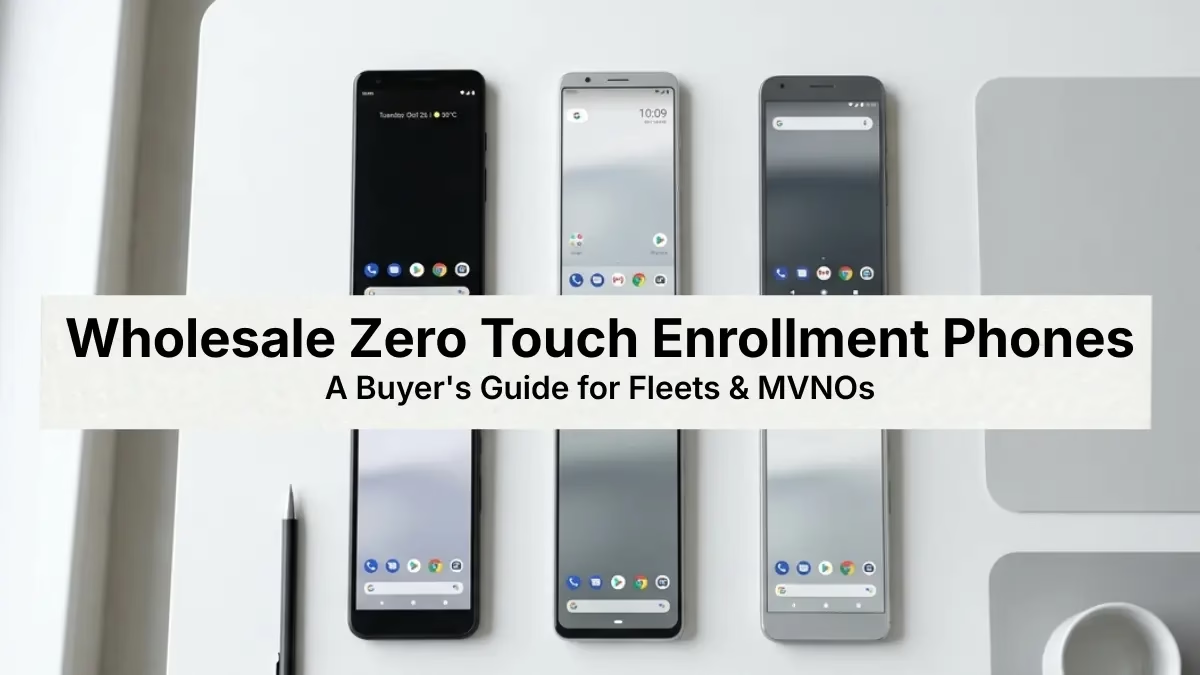
Here’s a coincidence worth knowing: ZTE stands for two things in the mobile industry.
One is Zero Touch Enrollment — Google’s automated provisioning framework for corporate Android fleets. The other is ZTE Corporation, one of the world’s largest smartphone manufacturers.
If you’re sourcing wholesale zero touch enrollment phones for a fleet, MVNO, or enterprise deployment, that overlap is worth paying attention to. This guide breaks down exactly what zero touch enrollment is, what makes a device compatible, and why ZTE phones are a practical choice for B2B buyers purchasing at volume.
What Is Zero Touch Enrollment?
Zero Touch Enrollment is Google’s out-of-the-box provisioning method for Android Enterprise devices.
When a supported device is purchased through an authorized reseller and registered in the zero touch portal, the entire setup process becomes automated. IT admins configure their MDM policies once — company email, security settings, approved apps, compliance rules — and every assigned device inherits that configuration the moment it connects to the internet.
Employees just unbox the phone, power it on, and connect to Wi-Fi. The device provisions itself. No IT intervention required at the device level.
That’s the core value proposition: you can ship devices directly from your distributor to an employee in another state, and the phone arrives fully configured and policy-enforced without anyone in IT ever touching it.
Zero Touch Enrollment is also referred to as Android Zero Touch Provisioning, or ZTP. The terms are interchangeable.
Why It Matters for Fleet Buyers and MVNOs
Manual device staging doesn’t scale.
For enterprise IT teams managing large fleets, provisioning phones one by one is a bottleneck that grows worse as headcount increases. A team deploying 300 devices to field workers across multiple sites can’t afford to touch each one individually — the labor cost alone makes it unsustainable.
Zero Touch Enrollment removes that bottleneck entirely. Configure the MDM policy once, upload your device IMEIs to the portal, and every device in that batch provisions automatically on first boot.
For MVNOs and carrier partners, the case is equally strong. When you’re provisioning phones before they ship to subscribers, hands-on setup introduces delay, inconsistency, and opportunity for error. Zero touch lets you move faster and deliver a cleaner out-of-box experience to your end users.
There’s also a security dimension that gets overlooked in most buying conversations.
Once a device is enrolled via zero touch, it stays enrolled even after a factory reset. If a device is lost, stolen, or reassigned, it re-provisions automatically back to your MDM on next boot. The device cannot be set up in unmanaged mode.
This prevents a stolen corporate phone from being wiped and reused — a real exposure point for organizations with large field fleets.
For government agencies and healthcare organizations specifically, that level of mandatory management isn’t a nice-to-have. It’s a compliance requirement.
How Zero Touch Enrollment Actually Works
The process involves three parties: the device manufacturer, an authorized reseller, and your organization.
When you purchase wholesale zero touch enrollment phones from an authorized reseller, the reseller uploads your device IMEIs and serial numbers to the zero touch reseller portal. Those devices become bound to your organization’s Google account in the zero touch customer portal.
Your IT team then logs into the customer portal and creates a configuration. This is where you specify your MDM platform — Intune, Hexnode, Jamf, ManageEngine, and others are all supported — and define the device policy controller settings.
From that point, the process is fully automated. When a device powers on and connects to a network, it checks the zero touch portal, pulls its assigned configuration, and provisions itself according to your MDM policy.
The end user follows a brief setup wizard and lands on a fully managed, work-ready device.
One important note: this only works if the devices were purchased through an authorized zero touch reseller. Devices sourced through standard retail channels — even if they run Android 9.0 and are GMS-certified — are not eligible.
The IMEI registration step has to happen at the distributor level. This is why choosing the right wholesale partner matters as much as choosing the right device.
What Makes a Phone Zero Touch Compatible?
Not every Android phone qualifies. Here’s what to verify when sourcing wholesale zero touch enrollment phones at volume.
Android 9.0 or Later
Zero touch enrollment requires Android 9.0 (Pie) or higher as the baseline. Some Android 8.0 devices are also eligible, and Google Pixel devices with Android 7.0 qualify as well.
For practical purchasing purposes, target Android 9.0+ as your floor. Anything below that introduces compatibility risk and limits your MDM options.
GMS Certification
The device must be certified for Google Mobile Services. This means it runs the full Google Play ecosystem — Play Store, Play Protect, Google Play Services — and has passed Google’s compatibility testing.
Gray-market units and devices originally manufactured for non-Google markets often have GMS stripped out. These will not work with zero touch enrollment regardless of Android version.
When sourcing ZTE devices wholesale, confirm GMS certification with your distributor before ordering. Reputable wholesale partners will be able to confirm this immediately.
Purchased Through an Authorized Reseller
This is the step most enterprise buyers miss until it’s too late.
Zero touch enrollment requires that devices be purchased through a Google-authorized zero touch reseller. The reseller must be enrolled in Google’s program and have access to the reseller portal to upload your device IMEIs.
Standard retail purchases — including carrier retail, big box electronics, and consumer e-commerce — do not qualify. If your current distributor isn’t an authorized reseller, you need a different distributor.
MDM Platform Compatibility
Zero touch works with all major EMM and MDM platforms. Microsoft Intune, Jamf, Hexnode, ManageEngine, SOTI MobiControl, and Esper are all compatible.
Before you configure the zero touch portal, make sure your MDM is enrolled in the Android Enterprise program. You’ll need a DPC extras JSON string from your MDM provider to complete the portal configuration — most major platforms provide this in their admin console.
Device Owner Mode Support
Zero touch enrollment provisions devices in Device Owner mode by default. This gives your organization full control over the device — app management, network configuration, screen lock policies, remote wipe, and more.
If your use case requires a different management mode, confirm that your MDM supports configuring those modes through the portal before you finalize your device order.
ZTE Phones for B2B: What to Know
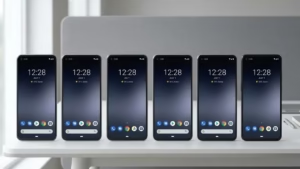
ZTE Corporation’s Android lineup has been a staple of the B2B wholesale market for years.
The Blade series in particular is widely distributed through MVNO device programs and enterprise procurement channels. These devices run stock or near-stock Android builds, meet GMS certification requirements, and are priced for volume purchasing in a way that flagship devices simply aren’t.
For fleet deployments where the goal is a reliable, manageable, policy-enforced device — not a consumer-grade premium experience — ZTE hits the right marks.
Carriers and MVNOs have relied on ZTE handsets in subscriber programs for years. The devices perform consistently in high-turnover environments where mid-range durability and long-term parts availability matter more than cutting-edge specs.
ZTE also manufactures at significant scale, which means inventory availability tends to be more stable than smaller OEMs — an important factor when you’re sourcing hundreds or thousands of units at a time.
Before placing a bulk order, you can verify model eligibility directly on the Android Enterprise partner device directory — Google maintains a public list of all zero touch supported devices by manufacturer.
ZTE vs. Samsung for Zero Touch Deployment
One distinction worth knowing: Samsung devices support both Zero Touch Enrollment and Knox Mobile Enrollment (KME). When a Samsung device is set up for both, KME takes priority.
This isn’t a problem, but it does mean your MDM and IT workflow needs to account for it. If you’re running a mixed fleet with both Samsung and ZTE devices, you may need to manage two separate enrollment channels.
For organizations that want to keep their enrollment process unified under a single zero touch workflow, non-Samsung Android devices — including ZTE — offer a cleaner path.
Deployment Models: Which One Fits Your Use Case?
Zero touch enrollment supports several Android Enterprise deployment modes. Understanding which one applies to your situation affects how you configure the portal and what device specs you actually need.
Fully Managed Device
This is the default zero touch mode. The organization owns and controls the entire device. No personal apps, no personal accounts — the phone is a corporate tool, fully locked to your MDM policy.
Best for field service teams, logistics workers, healthcare staff, and government deployments where the device is issued and stays with the employee for the duration of employment.
Dedicated Device (Kiosk Mode)
The device is locked to a single app or a defined set of apps. Common in retail, hospitality, and warehouse environments where the phone serves a specific operational function.
Zero touch can provision dedicated devices, but confirm with your MDM that it supports kiosk configuration through the portal’s DPC extras before sourcing inventory.
Corporate-Owned, Personally Enabled (COPE)
The organization owns the device but allows personal use within a managed work profile. IT controls the work container; the employee has a separate personal space.
This model is increasingly common in enterprise deployments where employees use the device outside of work hours. It’s more complex to configure but reduces resistance to corporate device programs.
What to Verify Before You Place a Bulk Order
Use this checklist before committing to a bulk order of wholesale zero touch enrollment phones.
- Model is on Google’s zero touch device directory. Don’t assume — verify the exact model number. Your reseller should confirm before the order ships.
- Distributor is an authorized zero touch reseller. Non-negotiable. If your distributor isn’t enrolled, your devices won’t be eligible for IMEI registration.
- Android version confirmed at 9.0 or higher. Get this confirmed by your distributor, not from the manufacturer’s marketing spec sheet.
- GMS certification confirmed. Especially important for ZTE devices — confirm they are the GMS-certified variant, not a gray-market or export unit.
- IMEI and serial data included with your order. You need this to assign configurations in the zero touch portal. Request it with your invoice.
- Carrier compatibility verified. Confirm the units are unlocked and compatible with your network or your MVNO’s carrier partners.
- MDM DPC extras string ready. Have your JSON configuration prepared before devices arrive so you can assign configurations immediately and not hold up deployment.
Who Should Be Sourcing Wholesale Zero Touch Enrollment Phones
Zero touch enrollment is purpose-built for organizations deploying corporate-owned Android devices at scale.
MVNOs building or refreshing a subscriber device program. Zero touch lets you ship devices directly to subscribers pre-configured without staging each unit manually.
Enterprise IT teams deploying phones to distributed workforces — field service, logistics, retail, or any role where employees are geographically dispersed and can’t come to a central IT staging location.
Healthcare organizations deploying shared or assigned devices that need mandatory MDM management enforced from day one. Zero touch ensures no device can be set up outside of policy.
Government agencies with compliance requirements around device management and data security. The mandatory enrollment model removes the risk of a device being configured outside of approved policy.
Resellers and VARs sourcing Android Enterprise-ready inventory for their own B2B customers. Carrying zero touch-eligible inventory is a differentiator when your customers have IT departments asking for it.
Source ZTE Devices Through Nobility Wireless
Nobility Wireless is a B2B wholesale mobile device distributor based in Hollywood, FL.
We carry ZTE devices alongside Apple, Samsung, Google, and other major Android brands — serving MVNOs, enterprise IT teams, healthcare organizations, and government agencies across the country.
If you’re building out a zero touch enrollment program and need to source wholesale zero touch enrollment phones at volume, contact our team for current availability and pricing.
We work with your MDM provider’s requirements and help ensure the devices you receive are registered correctly for your deployment from day one.
Have questions about zero touch compatibility, IMEI registration, or building a device procurement list? Reach out and request a quote — a member of our team will follow up directly.