
Updated November 2026
Any current iPhone or Android phone runs Microsoft Teams. The phones that work best with Teams add four things: clear call audio, a battery that lasts through back-to-back meetings, solid MDM support, and enough years of OS updates to stay on Microsoft’s supported list for the life of the device.
That last point is the one most buyers miss. Microsoft supports the Teams mobile app on only the two most recent major versions of iOS and the last four major versions of Android, according to its Teams client system requirements. A phone that stops getting OS upgrades eventually falls off that list, even if the hardware still works. Below, we cover what to look for, the models we recommend right now, and how Nobility Wireless helps businesses deploy Teams-ready phones in bulk.
At a glance
- Best overall Android: Samsung Galaxy S25, with seven years of OS and security updates from Samsung.
- Best overall iPhone: iPhone 16 Pro, for heavy video-meeting users.
- Best value: Samsung Galaxy A26 5G, with six OS upgrades, six years of security updates and IP67 dust and water resistance.
- Longest update window for the price: Google Pixel 9, supported by Google until at least August 2031.
- For large fleets on a budget: Motorola Moto G series.
Why Microsoft Teams Matters for Businesses
For many companies, Teams is where work actually happens: chat, calls, meetings, shared files and approvals all live in one app. When a field manager, sales rep or nurse lead can’t join a call or open a shared file from their phone, work stops until they get back to a laptop.
Rolling out phones in a hospital? Our guide to phones for nurses and clinical staff breaks down the right pick for each role.
That makes the company phone a Teams endpoint as much as a calling device. The right phone keeps people reachable and productive away from their desks. The wrong one creates dropped calls, drained batteries by mid-afternoon, and tickets for your IT team. If you’re weighing phones for frontline and deskless staff specifically, our guide to wholesale phones for employee communication covers that use case in more depth.

A Teams phone is judged by the meeting it drops, not the spec sheet. Audio, battery and update support decide whether it lasts a full deployment cycle.
Key Features to Look for in Phones That Work with Teams
Every phone on the market can install Teams. These are the features that separate a phone your staff will rely on from one they’ll work around.
A long OS update window
Because Microsoft only supports recent OS versions, update policy is the single most important spec for a Teams phone. Samsung’s current flagships and Google’s Pixel 8 and later models carry seven-year update commitments, and Samsung extended six years of updates to its 2025 Galaxy A series. Buying a phone with a short remaining update window means replacing it sooner, even when the hardware is fine.
Clear call and meeting audio
Look for multiple microphones with noise reduction, good earpiece and speaker volume, and reliable Bluetooth for headsets. If your team takes most calls on headsets, Microsoft runs a Teams certification program for headsets and audio accessories, which is worth checking when you buy them.
Battery life that survives a meeting-heavy day
Video calls are one of the most battery-intensive things a phone does. A 4,000 to 5,000 mAh battery and an efficient recent chipset matter more than peak performance numbers. For shift workers, plan for a full shift plus a buffer.
Display and front camera
A sharp front camera and a bright screen make video meetings and screen shares usable outdoors and in poorly lit rooms. A larger display helps with shared documents and whiteboards.
Fast, stable connectivity
5G and modern Wi-Fi keep video steady when people move between the office, the car and a job site. Every phone we ship is factory unlocked and works on AT&T, T-Mobile and Verizon. If your teams work mostly indoors, our comparison of WiFi phones vs DECT phones for business is a useful companion read.
MDM and security support
IT teams need to enroll, lock down and wipe devices remotely. Teams works with Microsoft Intune app protection policies, and the phones we recommend support Android Enterprise, Samsung Knox and Apple Business (formerly Apple Business Manager) enrollment. Every device we sell is MDM-compatible; see our MDM-ready devices for zero-touch and pre-enrolled options, including devices you’ll manage with Microsoft Intune.
Top Smartphones That Work with Teams
These are the models we recommend most often to businesses standardizing on Teams. Depending on stock, each comes in New, Certified Like-New or Certified Pre-Owned grades. Specs and update commitments below are the manufacturers’ published figures.
Samsung Galaxy S25
Best for managers and power users who live in meetings
The Galaxy S25 is our top Android pick for Teams. It handles long video meetings and multitasking without slowing down, and Samsung’s seven-year update commitment keeps it on Microsoft’s supported OS list for years. Knox gives IT granular control on top of standard Android Enterprise. See Samsung Galaxy S25 wholesale pricing, or browse more Android phones wholesale options.
Apple iPhone 16 Pro
Best for executives and iOS-standardized teams
For companies already on iPhone, the iPhone 16 Pro is the strongest Teams device in the lineup, with excellent microphones and video quality. It enrolls cleanly through Apple Business, so devices arrive ready for your MDM. Browse our wholesale iPhones for Apple Business deployments.
Apple iPhone 16
Best for iPhone fleets that need to control cost
The standard iPhone 16 gives most staff everything they need for Teams calls, chat and meetings at a lower price than the Pro. It’s a common choice for standardizing your device model across the fleet. See iPhone 16 wholesale.
Google Pixel 9
Best for the longest update runway per dollar
Google guarantees OS and security updates for the Pixel 9 until at least August 2031, according to its Pixel update policy. That makes it one of the safest long-term Teams devices you can buy. Its clean Android build also makes it simple to manage. See Google Pixel 9 wholesale or the full Google Pixel wholesale range.
Samsung Galaxy A26 5G
Best value for frontline and field staff
The Galaxy A26 5G brings Samsung’s six-year update commitment to a budget price, plus a big battery and IP67 dust and water resistance. It’s our default recommendation for large frontline rollouts where Teams is mainly chat, calls and the occasional meeting. See Galaxy A26 wholesale or our full Samsung wholesale catalog.
Motorola Moto G series
Best for very large fleets with simple Teams use
Moto G phones are a practical choice when you need hundreds of reliable devices for messaging and calls. The trade-off is a shorter update commitment than Samsung or Google offer, so check the specific model’s policy and plan a shorter refresh cycle. Browse bulk Motorola phones.
Comparison: phones that work with Teams
| Phone | Best for | Update commitment (manufacturer) | Management |
|---|---|---|---|
| Samsung Galaxy S25 | Managers, heavy meeting users | 7 years OS and security | Knox, Android Enterprise |
| iPhone 16 Pro | Executives, iOS fleets | Not published by Apple | Apple Business |
| iPhone 16 | Cost-conscious iOS fleets | Not published by Apple | Apple Business |
| Google Pixel 9 | Longest support per dollar | Until at least Aug 2031 | Android Enterprise |
| Samsung Galaxy A26 5G | Frontline and field staff | 6 OS upgrades, 6 years security | Knox, Android Enterprise |
| Motorola Moto G series | Very large, budget fleets | Shorter; varies by model | Android Enterprise |
Still deciding between platforms? Our Samsung vs. iPhone for business breakdown covers how the two platforms compare for IT teams, and you can compare business phones side by side.
Benefits of Using Smartphones with Microsoft Teams
- One app for calls, chat and meetings. Staff don’t need a separate desk phone or softphone app to stay reachable, which simplifies training and support.
- Work continues away from the desk. Field, retail and clinical teams can join meetings, share photos and update files from wherever the work is.
- Centralized security. With MDM and Intune app protection, company data in Teams stays protected even if a phone is lost.
- Lower hardware cost. For many roles, a well-chosen smartphone replaces both a laptop and a desk phone for day-to-day communication.
- Faster onboarding. A standardized, pre-configured phone means new hires are on Teams on day one.
Why Buy Teams-Compatible Phones in Bulk?
Buying phones one at a time leads to mixed models, mixed OS versions and a harder job for IT. Buying in bulk from a single wholesale source fixes that, and it saves money: pricing runs 20–40% below MSRP, typically saving $100–$400 per unit.
Every device we ship goes through a 35-point PhoneCheck inspection, and we check IMEIs against the GSMA device registry before shipment. Our return rate is under 1%, and every grade is backed by a 30-day DOA guarantee. We’ve shipped more than 1 million devices to 500+ businesses over two decades in the mobile industry. If you’re comparing suppliers, read how to choose a wholesale phone supplier and our take on B2B marketplaces vs direct wholesale suppliers.
Tailored Solutions for Your Industry
Teams use looks different in every industry, and so does the right phone. We build device mixes for:
- IT and enterprise teams standardizing on Microsoft 365
- Healthcare organizations equipping clinical and home-health staff
- Logistics companies keeping drivers and warehouse leads connected
- Construction companies running Teams from the job site
- Government agencies and non-profits stretching every budget dollar
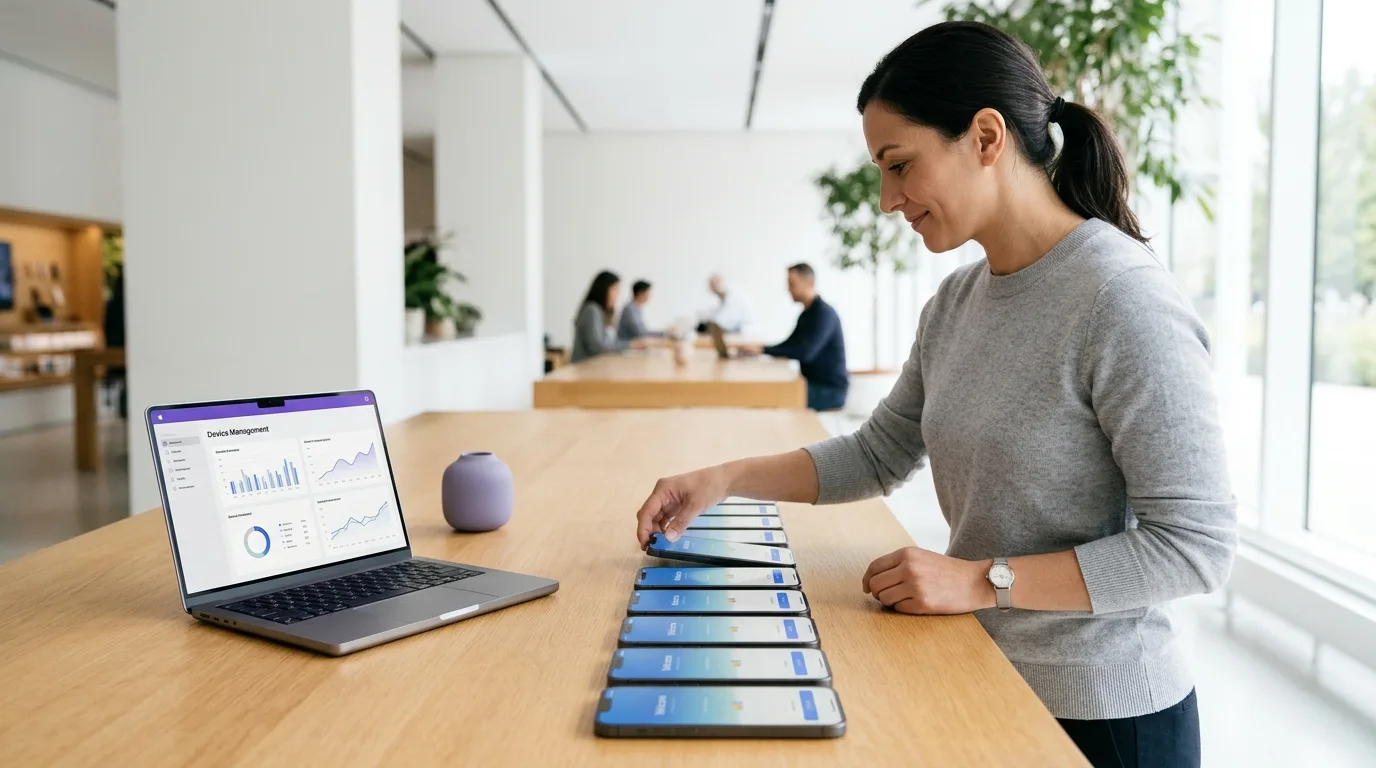
How to Buy Wholesale Smartphones for Teams Integration
- Map roles to devices. Decide which roles need a flagship for heavy meeting use and which can run on a value model. Most fleets need two or three tiers, not one.
- Check the update runway. Make sure each model’s remaining update window covers your planned refresh cycle, so phones stay on Microsoft’s supported OS list.
- Choose your grade mix. New, Certified Like-New and Certified Pre-Owned (A+, A, A-) grades let you balance budget and appearance by role. Learn more about our certified refurbished phones.
- Plan enrollment. Tell us your MDM (Intune, Knox, Apple Business or another platform) so devices arrive ready to enroll. Our guide to the best phones for IT to manage goes deeper on this step.
- Request a quote. Orders start at 10 units, quotes come back in about 4 hours, and in-stock orders ship within 24–48 hours. Estimate your savings first with our wholesale device ROI calculator, or browse our full device catalog and business smartphones in bulk.
Frequently Asked Questions About Phones That Work with Teams
Does Microsoft Teams work the same on iPhone and Android?
Yes. Teams offers the same core features on both: chat, calls, meetings, file sharing and channels. The bigger differences between phones are audio quality, battery life and how long each model receives OS updates, because Microsoft only supports the two most recent major iOS versions and the last four major Android versions.
What is the best phone for Teams calls on a budget?
The Samsung Galaxy A26 5G is our top budget pick. It has a 5,000 mAh battery, IP67 dust and water resistance, and Samsung’s commitment of six OS upgrades and six years of security updates, so it stays on Microsoft’s supported list for years.
Can company phones be locked down for Teams with MDM?
Yes. Every phone Nobility Wireless sells is MDM-compatible. You can enroll devices through Microsoft Intune, Samsung Knox, Android Enterprise or Apple Business Manager, and apply Intune app protection policies to Teams to keep company data secure.
Do refurbished phones run Microsoft Teams reliably?
Yes, as long as the model is recent enough to run a supported OS version. Our certified devices pass a 35-point PhoneCheck inspection, and every grade is backed by a 30-day DOA guarantee.
What is the minimum order for Teams-ready business phones?
The minimum order is 10 units. Quotes are typically ready in about 4 hours, and in-stock orders ship within 24 to 48 hours.
Final Thoughts: Choosing Phones That Work with Teams
Every modern phone can run Teams, so the real decision is about how well and for how long. Pick models with clear audio, a battery that lasts a full day of meetings, strong MDM support and an update window that outlasts your refresh cycle. For most businesses, that means a Galaxy S25 or iPhone 16 Pro for heavy meeting users and a Galaxy A26 5G or Pixel 9 for everyone else.
Ready to equip your team? Tell us how many people need Teams-ready phones and which MDM you use. We’ll send a quote in about 4 hours.