
By Daniel Ehrlich · 8 min read
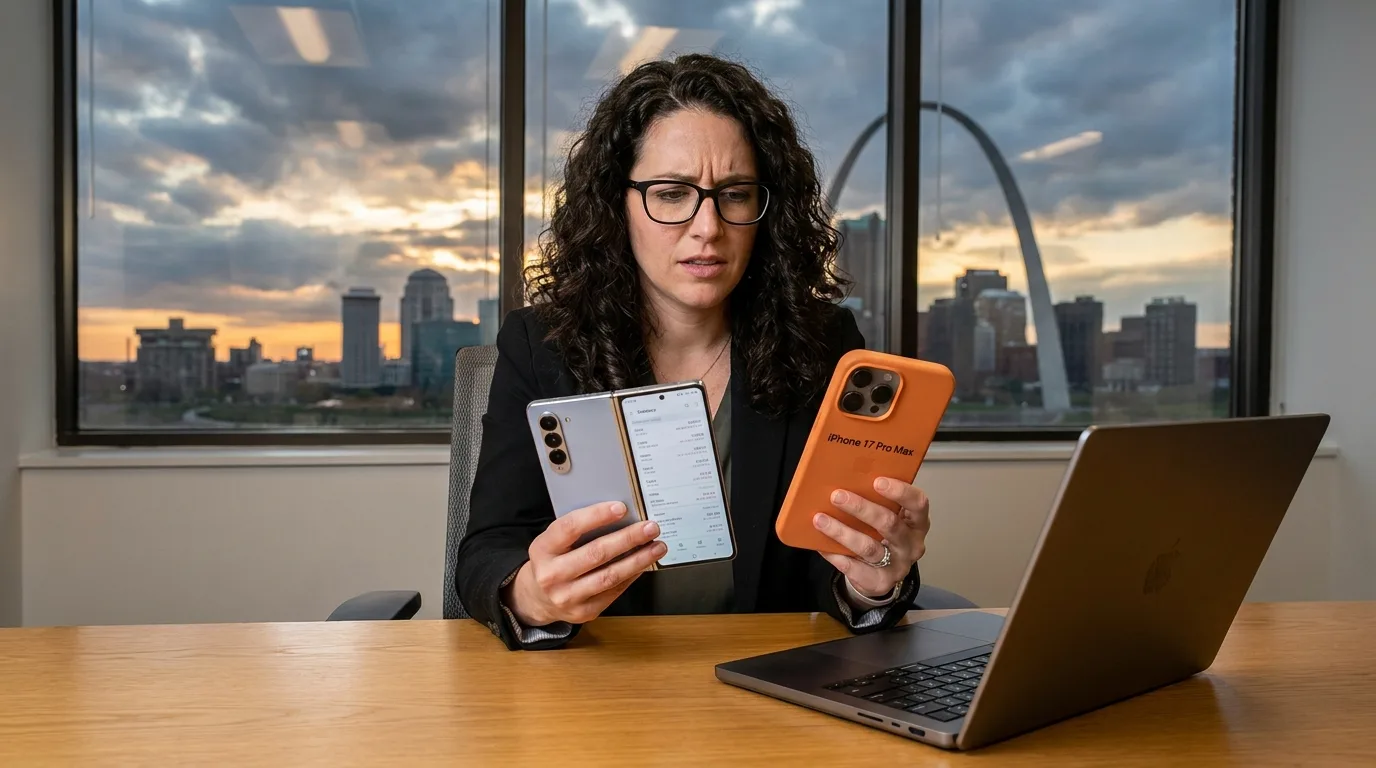
Samsung vs iPhone for business — it's the fleet decision that lands on an IT manager's desk more often than almost any other. You've got to deploy 200 phones next quarter. Your security team wants consistency. Your IT admin wants clean MDM enrollment. Your CFO wants a number that doesn't require a follow-up meeting. So which do you buy?
This isn't a consumer comparison. Camera quality, which one feels better in your hand — none of that matters at the fleet level. What matters is MDM depth, security update windows, deployment workflow, and what you're actually paying per unit at wholesale. Let's go through it.
In this article
- → MDM Ecosystem: Knox vs. Apple Business Manager
- → Security Update Windows
- → Hardware Options: One Line vs. Many
- → Fleet Cost at Scale
- → How This Plays Out by Industry
- → The Bottom Line
MDM Ecosystem: Knox vs. Apple Business Manager
When evaluating Samsung vs iPhone for business deployments, MDM support is where the two platforms diverge most sharply — and the first thing any IT team should evaluate before the procurement conversation starts.
Samsung ships with Knox, a security and management layer baked into the chipset — not bolted on at the OS level. Knox supports zero-touch enrollment natively through Android Enterprise, so you can provision devices straight out of the box without touching them individually. IT pushes policies, apps, and configurations before the device ever reaches the end user.
Knox also gives you hardware-enforced containerization — a fully isolated work profile running alongside personal use on the same device, with separate encryption and its own VPN tunnel if needed. For BYOD-adjacent environments or deployments that need strict data separation, that's hard to match. It's also why MDM platforms like Microsoft Intune and VMware Workspace ONE have built deep Knox integrations — the platform earns it.
iPhone runs through Apple Business Manager (ABM) with supervised mode, which integrates cleanly with Jamf, Intune, Kandji, and Mosyle. ABM is excellent for organizations already in the Apple ecosystem. Supervised mode gives you real depth: forced app installation, web filtering, remote wipe, per-app VPN, screen time controls. If your org runs Macs and you're already thinking in the same toolchain, the iPhone enterprise experience is polished in a way that makes deployment feel natural.
The tradeoff: iOS is more locked down at the OS level — that tight app sandbox is a security feature, but it limits customization. There's no hardware-level container equivalent to Knox. And while ABM's supervised mode is powerful, Samsung's chipset-level attestation gives security-sensitive environments an additional integrity verification layer that iOS doesn't offer in the same architecture.
Bottom line on MDM: both platforms are fully enterprise-capable. Knox edges ahead for Android-native shops, BYOD environments, and verticals where hardware-level attestation matters. ABM wins for Apple-ecosystem organizations already running Jamf or Intune-on-iOS workflows. If you need MDM-ready devices shipped pre-configured, that's something worth factoring into your sourcing conversation too.
Security Update Windows: The Detail Procurement Teams Miss
Security patching cadence is one of the most underrated factors in any enterprise smartphone decision — it has real operational consequences across a 3–5 year device lifecycle.
Apple's track record here is exceptional. iPhones get iOS security updates for 5–6 years from release, and every supported device gets the same update on the same day. No carrier fragmentation, no manufacturer skin between the OS and the patch. When Apple drops a critical fix, your entire fleet can have it within 24 hours through ABM with supervised enforcement. That uniformity is a real enterprise asset.
Samsung has closed the gap significantly. The Galaxy S and A series now ship with up to 7 years of OS and security updates — on paper longer than Apple's historical window. The Galaxy S26 Ultra is committed to updates well past what most enterprise device cycles will outlast, which matters when you're thinking total cost per device per year.
Where Samsung still requires discipline: patch uniformity across tiers. Enterprise-focused Galaxy models get monthly security updates fast. If you're mixing in lower-tier or older models, delivery timing can vary. The fix is simple — standardize on supported Samsung tiers and stick to it. Don't mix tiers within the same fleet if patch uniformity matters to your security posture.
For reference, Apple's approach to the Secure Enclave and Samsung's Knox hardware root of trust serve similar goals through different architectures. The Apple Platform Security guide and Knox government certifications both document what's under the hood if your security team needs to go that deep.
Hardware Options: Apple Makes One Line, Samsung Makes Many
This is a bigger deal than most comparisons acknowledge.
Apple makes the iPhone. One product line, a few storage and color configurations. That's clean for standardization and creates a simple support matrix. But if your deployment needs rugged variants, different form factors, purpose-built vertical devices, or multiple price points within the same fleet — Apple can't help you.
Samsung gives you a wide range. A few worth knowing for enterprise procurement specifically:
The Galaxy S26 Ultra is the flagship enterprise pick. The built-in S Pen, titanium frame, and large display make it a serious tool for executives, field managers, and anyone doing document-heavy work on a phone. It's also the longest-lifecycle device in the Samsung lineup, which matters if you're building a 5-year fleet standard around it.
The Galaxy Z Flip 7 is worth considering for roles where form factor matters. It pockets flat, opens to a full display, and has real ergonomic value in healthcare, hospitality, and field sales deployments where device size is a friction point.
The Galaxy Note 20 is a strong secondary market option for cost-sensitive deployments — still Knox-supported, still enterprise-capable, and significantly lower per-unit cost than current flagship pricing. For IT departments deploying at volume on a constrained budget, it's a smart anchor device. All three ship factory unlocked and carrier-agnostic.
On the Apple side, the iPhone 17 Pro Max is where you go when the org has standardized on Apple and wants the longest possible update lifecycle with the most capable hardware. It's a premium deployment and the per-unit cost reflects that — but for Apple-shop IT teams, there's no better device to anchor a long-term fleet standard.

Fleet Cost at Scale: Where the Real Math Lives
New flagship iPhones and Samsung Galaxy S models both retail at $999–$1,199+. At those prices, a 200-device deployment is a $200,000+ line item before you touch MDM licensing, accessories, or deployment labor. That's retail math. Enterprise buyers shouldn't be doing retail math.
Buying certified refurbished at wholesale — 20–40% below MSRP — turns that same 200-device deployment into a materially different budget conversation. The savings stack fast. A fleet that might run $220,000 at retail new can come in around $140,000 at wholesale pricing. That delta is MDM licensing, spare inventory, and deployment services. Use our wholesale device ROI calculator to run your own numbers.
One thing worth knowing about the secondary market: Samsung tends to offer broader price-tier coverage than iPhone at equivalent specs. More models in circulation, more generations available, more flexibility to match hardware capability to role requirements without overspending. The iPhone secondary market is deep and liquid, but Apple's brand value means used prices hold higher longer — great for resale, but costs more at acquisition.
How This Plays Out by Industry
Enterprise IT / Corporate Fleets
For Windows-first organizations running Azure AD and Microsoft Intune, Samsung slots in more naturally. Android Enterprise and Intune have deep co-engineering history, and Knox's hardware attestation integrates cleanly with Conditional Access policies. If your users are on Windows laptops and Microsoft 365 all day, putting a Galaxy in their pocket keeps the identity and security stack consistent. See how we work with enterprise IT teams specifically.
For Apple-ecosystem organizations — Mac-first, Jamf-managed, iOS-dependent line-of-business apps — iPhone is the straightforward call. Don't fight the stack you've already built. The iPhone 17 Pro Max gives you maximum lifecycle and the most capable hardware to anchor a long-term device standard.
Healthcare
Healthcare deployments carry specific requirements: HIPAA compliance, Epic and Cerner app performance, barcode scanning, infection control, and often display size or stylus input for clinical documentation. Both platforms are used across health systems.
iPhone's consistency and mature ABM enrollment workflow are well-established. Samsung's hardware range — including the S Pen on the Galaxy S26 Ultra — supports clinical documentation workflows in ways the iPhone line can't match. For healthcare device procurement, the hardware flexibility argument for Samsung often wins at the fleet level even if individual clinical staff prefer iPhone personally.

Government and Public Safety
For law enforcement, defense, and government deployments, Knox's hardware-level attestation carries real procurement weight. Knox has earned approvals across multiple government security frameworks — NIAP, DISA STIG, and others that appear as hard requirements on federal and state agency procurement checklists.
Apple has put serious work into enterprise and government deployment resources too, and iPhone is used across law enforcement agencies where iOS-first workflows are already established. For government fleet procurement, the decision usually comes down to existing infrastructure and approved device lists — but Knox-certified Samsung devices have a strong track record where hardware attestation is a real requirement, not a marketing point.
MVNOs and Wireless Resellers
For MVNOs and wireless resellers sourcing mixed fleets, carrier-agnostic unlocked devices are the standard. Both Samsung and iPhone ship factory unlocked at wholesale — both work on any major carrier. The difference is catalog depth. Samsung's broader model range at more price points gives resellers more SKU flexibility for different customer segments. The Galaxy Note 20 at secondary market wholesale pricing is a very different margin conversation than a current flagship.
The Bottom Line
There's no universal right answer — but there's almost always a right answer for a specific IT environment.
If you're running Windows/Azure/Intune, deploying to field workers, operating a BYOD program, or working in healthcare and government where Knox's hardware security record gets evaluated at the procurement table — Samsung is usually the stronger enterprise fit. The S26 Ultra for executives and power users, the Z Flip 7 for roles where form factor matters, and the Note 20 at secondary market pricing for budget-sensitive volume deployments.
If your organization is Apple-first, Jamf-managed, and your line-of-business apps are iOS-dependent — the iPhone 17 Pro Max is the obvious anchor device. Don't fight the platform philosophy you've already built your IT infrastructure around.
Both platforms deliver enterprise-grade MDM, zero-touch enrollment, and strong security when deployed correctly. The question is which one fits the stack you're already running — and what the real per-unit cost looks like when you're buying at wholesale instead of retail.
At Nobility, every device we ship — 100+ models across Samsung, Apple, Google Pixel, Motorola, and others — goes through a 35-point PhoneCheck QC inspection, ships factory unlocked, and is MDM-ready for zero-touch, Knox, or ABM enrollment out of the box. Sub-1% return rate across the catalog. If you're sourcing 10–10,000+ devices and want to talk through deployment requirements before committing to a platform or model, that's exactly the conversation we're set up for.
Frequently Asked Questions
Common questions IT buyers ask when comparing Samsung and iPhone for enterprise fleet deployments.
What is Samsung Knox and why does it matter for business?
Samsung Knox is a hardware-level security platform built directly into Samsung Galaxy chipsets. Unlike software-only MDM solutions, Knox creates a hardware root of trust that verifies device integrity from boot — meaning the security layer can't be removed or bypassed at the OS level the way a standard Android device could be compromised.
For enterprise IT, Knox matters because it enables zero-touch MDM enrollment straight out of the box, hardware-enforced work/personal containerization, and remote wipe with cryptographic certainty that data is gone. It's also the reason Samsung devices have earned government certifications like NIAP and DISA STIG. Learn more at the Samsung Knox official overview.
Is iPhone or Samsung better for business?
It depends on your existing IT infrastructure. Samsung is generally the stronger fit for organizations running Windows, Azure AD, and Microsoft Intune. iPhone is the better call for Apple-first organizations running Jamf, with Mac fleets and iOS-dependent line-of-business apps already in place.
Both platforms fully support MDM, zero-touch enrollment, and enterprise security. The decision isn't which is better in absolute terms — it's which one fits the stack you've already built. See our full breakdown of the best phone for business by use case, or our guide to the best phones for IT to manage across fleet deployments.
Can you enroll Samsung phones in Microsoft Intune?
Yes — Samsung Galaxy devices enroll in Intune through Android Enterprise, and Knox adds a hardware attestation layer on top of standard Android Enterprise management. You get the full Intune policy library plus Knox-specific controls for containerization and device attestation that standard Android Enterprise doesn't provide.
For a step-by-step walkthrough, see our Intune Android setup guide for IT teams. Microsoft's own documentation on Samsung Knox Mobile Enrollment with Intune covers the backend configuration in detail.
How long do Samsung Galaxy phones receive security updates for enterprise use?
Samsung Galaxy S and A series devices launched from 2023 onward receive up to 7 years of OS and security updates — longer than Apple's typical 5–6 year iOS update window, though Apple delivers patches more uniformly across all supported devices on the same day.
For enterprise procurement, a Galaxy S26 Ultra purchased today can be supported into the early 2030s, making it viable for 5-year fleet cycles. See Samsung's official 7-year update announcement for device-level specifics.
What's the difference between Apple Business Manager and Samsung Knox for MDM?
Apple Business Manager (ABM) is Apple's device enrollment and content distribution platform — it works alongside your MDM tool to enable supervised mode, DEP enrollment, and centralized app management. It operates entirely at the software and OS level.
Samsung Knox operates at both the hardware and software level — it includes its own enrollment tool, device management layer, and hardware-enforced containerization that ABM can't replicate. Knox also carries government security certifications that matter in regulated procurement environments. For environments where both platforms are in play, our post on MDM-capable devices covers what to look for across the full device catalog.
Do Samsung and iPhone work with Microsoft Teams for business?
Both platforms run Microsoft Teams fully — calls, meetings, chat, file sharing, channel notifications. For organizations running Teams as the primary collaboration tool, platform choice on that dimension alone doesn't differentiate.
Where it does matter is MDM enforcement: Teams on Intune-managed Samsung devices with Knox conditional access can be locked down more granularly than on iOS, including restricting Teams to the Knox work container so personal and business communications stay fully separated. See our full guide on phones that work with Microsoft Teams for model-level compatibility and MDM enforcement recommendations.
Is it worth buying refurbished phones for a business fleet?
Yes — for most enterprise deployments, certified refurbished phones at wholesale pricing are the standard approach. Flagship Samsung Galaxy and iPhone models from one to two generations back carry full MDM support, receive security updates for several more years, and cost 20–40% less than new retail pricing. On a 200-device fleet, that's $20,000–$80,000 back in the IT budget.
The key is buying certified-refurbished through a vetted distributor with a documented QC process. Every device Nobility ships goes through a 35-point PhoneCheck inspection and carries a sub-1% return rate. For sourcing guidance, see our posts on buying unlocked phones in bulk and wholesale business smartphones.
How do I set up a company phone policy for a mixed Samsung and iPhone fleet?
Mixed-platform fleets are manageable but add complexity. The key decisions: which MDM platform handles both (Intune handles both platforms well; Jamf is stronger on iOS), whether you're issuing corporate-owned devices or supporting BYOD, and how you'll handle app licensing across both ecosystems.
Generally, standardizing on a single platform per role or department is cleaner — IT support overhead is lower and policy enforcement is more consistent. Our company mobile phone policy guide covers the framework decisions, and our post on enterprise app support by platform helps with the software compatibility piece. If procurement is the next step, our bulk phone procurement guide covers sourcing strategy at scale.
¹ Pricing estimates based on Nobility Wireless wholesale catalog data. Savings vs. MSRP vary by model, condition grade, and order volume.
Ready to price out your fleet?
We work with IT teams, healthcare organizations, government agencies, and MVNOs sourcing 10–10,000+ devices. Contact us to discuss deployment requirements and get wholesale pricing on Samsung, iPhone, and the rest of our 100+ device catalog.
Talk to Our Team