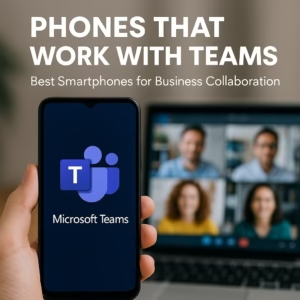

If you’re researching managed VoIP for your organization, there’s a good chance you’re also questioning whether you still need a desk phone at all. The answer, for most businesses today, is no — and the smartphone sitting in your employee’s pocket is the reason why.
Managed VoIP has been around long enough that the technology isn’t the question anymore. Apps like RingCentral, Zoom Phone, Microsoft Teams, and Dialpad run cleanly on any modern smartphone. The real question is what hardware you’re deploying, how you’re managing it, and whether you’re still paying for desk phone infrastructure that your team stopped using after the first hybrid work policy kicked in. For enterprise IT teams, startups, and organizations running large mobile fleets, there’s a cleaner answer: unlocked, MDM-enrolled smartphones sourced in bulk, with VoIP running as a managed app. No desk hardware. No per-seat IP phone licensing. No wiring.
The Desk Phone Problem Nobody Talks About
The enterprise IP phone market peaked before remote work became a permanent fixture. Most large organizations still have desk phones deployed — Gartner’s unified communications research has tracked the slow decline of on-premises IP telephony for years — but the usage patterns tell a different story. Employees with laptops and smartphones make most of their calls through softphone apps. The desk phone becomes a forwarding endpoint nobody picks up, or a piece of hardware IT has to maintain on a network segment that exists purely for voice.
For corporate phones and fleet deployments where staff are mobile — field teams, healthcare workers, logistics coordinators, salespeople — the desk phone was never the right tool. VoIP on mobile phones solves the actual problem: a business number, a managed dial experience, and call features like recording, voicemail-to-email, and CRM integration, all on the device the employee is already carrying.
What Managed VoIP on Smartphones Actually Looks Like
This is the part that’s worth slowing down on, because “just use an app” undersells what’s actually happening in a well-run enterprise deployment.
Managed VoIP on smartphones isn’t employees downloading RingCentral on their personal phones and hoping it works. It’s a configured, policy-enforced deployment where the VoIP app is pushed through MDM, authenticated against your directory, locked to your dial plan, and auditable. The smartphone becomes a managed endpoint — no different in IT’s eyes than a laptop on the corporate network.
Here’s how a clean deployment typically flows:
Step 1: Start With the Right Hardware
Device selection matters more than most IT teams expect when they first go mobile-first. You need smartphones that support the MDM enrollment path you’re using — Apple Business Manager for iOS, Android Enterprise with zero-touch or Knox enrollment for Samsung. The device needs enough processing headroom to run your VoIP app alongside the rest of the business software stack without degrading call quality. And for healthcare, field, or industrial environments, IP68 durability and battery life become real operational requirements, not specs on a sheet.
Buying certified refurbished devices in bulk through wholesale gives you standardized hardware across the fleet — same model, same OS baseline, same MDM enrollment behavior — at 20–40% below what new retail costs. At 50 or 100 units, that’s a meaningful budget difference.
Step 2: Enroll Through MDM Before Deployment
This is where the “managed” part of managed VoIP actually lives. Whether you’re running Jamf, Microsoft Intune, VMware Workspace ONE, or Mosyle, the workflow is the same: devices enroll in supervised or fully managed mode via Apple ABM or Android zero-touch, your MDM pushes the VoIP app silently, authentication happens against your identity provider, and the device arrives at the employee’s hands already configured. No manual setup. No “call IT when you can’t log in.”
For government agencies and regulated industries, this enrollment path also supports policy enforcement — call recording compliance, app whitelisting, data containerization, remote wipe. All of it runs through the same MDM that manages every other endpoint in your organization. VoIP on cell phones in this context isn’t a consumer workaround, it’s a fully governed enterprise communication channel.
Step 3: Configure the VoIP App at the MDM Layer
Most enterprise VoIP platforms — RingCentral, Zoom Phone, Teams Phone, 8×8 — publish managed app configuration specs for both iOS and Android. That means your IT team can pre-configure the VoIP app’s server address, authentication method, dial plan, and calling behavior through the MDM console, without the end user touching any settings. The app opens, it’s ready to make and receive calls on the business number, and it behaves exactly the same way on every device in the fleet.
This is the part that makes mobile-first VoIP genuinely scalable. When you’re equipping business phones for a large business deployment or rolling out corporate phones for a new office location, the MDM does the provisioning work. You’re not manually configuring 80 smartphones one at a time.
Who This Model Works For
Mobile-first managed VoIP isn’t the right answer for every single role in every organization. A reception desk in a physical location may still benefit from a traditional IP phone. But for the majority of business phone use cases today, the smartphone-plus-MDM-plus-VoIP-app model is cleaner, cheaper, and more manageable than the alternative.
| Use Case | Why Mobile VoIP Wins | Key Hardware Need | MDM Enrollment Path |
|---|---|---|---|
| Startups / SMBs | No PBX infrastructure to buy or maintain; scales with headcount instantly | Cost-effective unlocked Android or iPhone | Android zero-touch or Apple ABM |
| Enterprise / Large Business | Replaces desk phone fleet; unifies endpoint management across laptops and phones | Standardized fleet model, Knox or ABM ready | Intune / Jamf / Workspace ONE |
| Field & Logistics Teams | Staff aren’t at desks — mobile VoIP is the only setup that makes operational sense | Durable, long-battery devices; IP68 preferred | Android Enterprise, zero-touch |
| Healthcare | Clinical staff need mobile comms; desk phones don’t follow them room to room | IP68, Touch ID preferred, HIPAA-compatible MDM config | Jamf / Intune with compliance policy |
| Government Agencies | Managed smartphones support compliance frameworks; lower per-seat cost than IP hardware | FIPS-compatible devices, supervised mode | Apple ABM supervised / Android fully managed |
| Nonprofits | Budget constraints make desk phone infrastructure impractical; mobile VoIP is cost-effective from day one | Certified refurbished devices at wholesale pricing | Android zero-touch or Apple ABM |
Sources: GSMA Circular Economy in Mobile; Gartner Unified Communications research.
The Hardware Question: What to Source and How
The VoIP app and the MDM platform get most of the attention in these deployments, and the hardware gets treated as an afterthought. That’s a mistake, because the device is where everything either works or doesn’t for the end user.
For managed VoIP on smartphones, the hardware requirements aren’t exotic, but they’re specific. You need devices that support your MDM enrollment path natively — not all Android devices support zero-touch, and Knox enrollment requires Samsung hardware. You need enough RAM and processing headroom that the VoIP app performs cleanly alongside Teams or Outlook or whatever else is running. And you need battery life that matches the actual workday length of the people using them.
Our wholesale Apple catalog and Samsung lineup cover the most common enterprise enrollment paths — Apple ABM for iOS fleets, Knox and Android Enterprise for Samsung. Google Pixel devices are Android Enterprise Recommended and support zero-touch natively. Every device that ships goes through a 35-point PhoneCheck diagnostic inspection — battery health, all radios, touchscreen, cameras, lock status — and arrives IMEI-verified and unlocked. Our return rate across all devices sits under 1%, because QC at that level is what makes a fleet deployment go smoothly instead of sideways.
35-point
PhoneCheck diagnostic on every device — battery, radios, display, cameras, lock status
Pricing is by conversation, not a cart. Volume, model, and condition grade all factor in, and at fleet scale the right number isn’t a website price. If you’re building out a managed VoIP deployment on smartphones — whether that’s 25 devices for a startup or 500 for a large business rollout — the conversation starts with what you’re trying to accomplish, not a checkout page.
Building a managed VoIP deployment on smartphones?
We supply unlocked, MDM-ready smartphones in bulk to enterprise IT teams, startups, government agencies, healthcare systems, and nonprofits. Tell us your volume, your MDM platform, and your timeline — we’ll take it from there.Get a Bulk Quote